
Download Cha Ching – free cash management app, budgeting tool, finance tracker
Overview
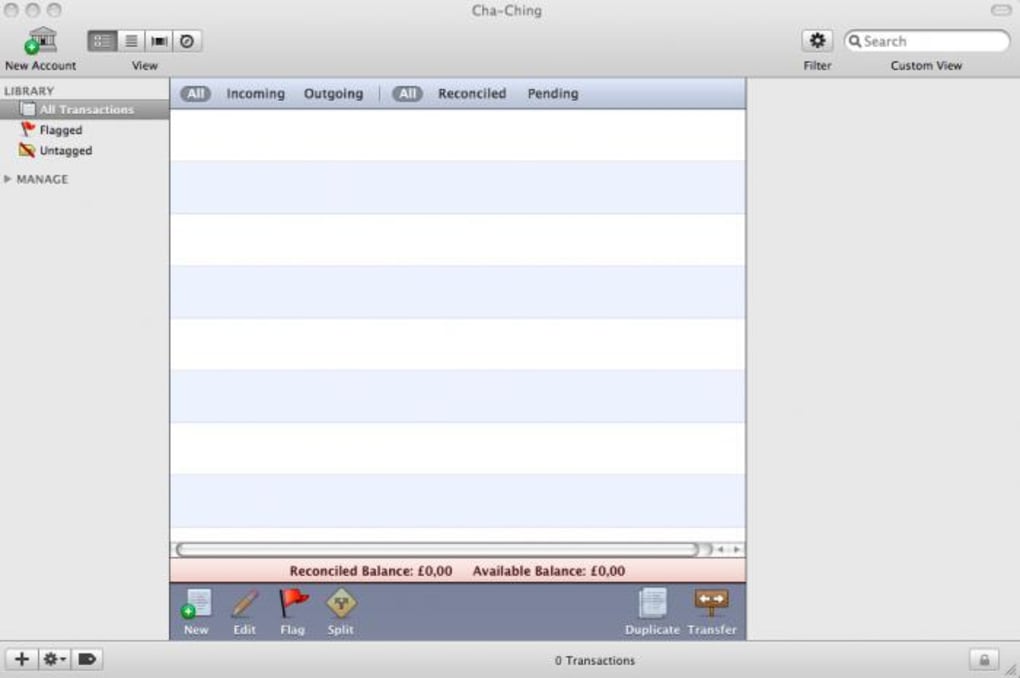
Cha Ching is a playful yet powerful finance‑management solution that turns the dreaded task of budgeting into a surprisingly enjoyable experience. Designed for anyone who finds traditional accounting software intimidating, Cha Ching provides a clean, modern interface where you can quickly create a budget, log transactions, and visualize spending patterns without wading through endless spreadsheets. The latest release has addressed the stability concerns that plagued earlier versions, delivering a smoother, more reliable environment for day‑to‑day money handling. Whether you are a student tracking your monthly allowance, a freelancer monitoring project expenses, or a family looking for a transparent way to share household costs, Cha Ching adapts to your needs. Its tagging system lets you categorize each entry—food, transport, entertainment—making future searches lightning fast. You can even attach photos of receipts or purchased items, turning a plain list of numbers into a vivid visual ledger. For those who prefer an integrated approach, Cha Ching can link directly to online banking portals, allowing you to pay bills from within the app and keep a real‑time snapshot of your cash flow. The “Smart Folder” feature automatically groups related transactions, while the “Master Vault” safeguards your most sensitive data with encrypted local backups. In short, Cha Ching combines the rigor of traditional accounting with the friendliness of a modern app, making financial clarity accessible to everyone.
Key Features
- Intuitive Budget Builder: Drag‑and‑drop categories, set limits, and watch your budget adjust in real time.
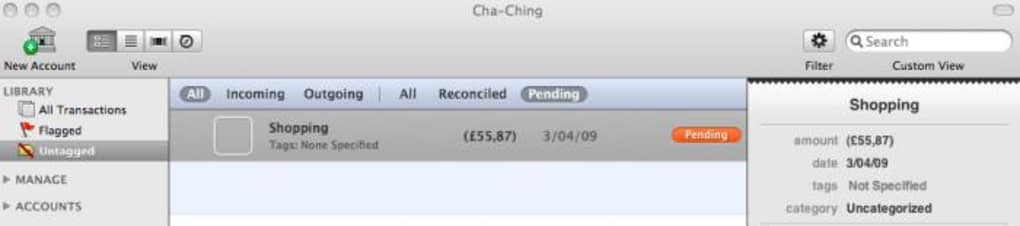
- Tag‑Based Transaction Management: Assign multiple tags to each entry for instant filtering and reporting.
- Photo Attachments: Snap a picture of receipts or purchases; the app stores them alongside the transaction.
- Direct Bill Payments: Connect to your online bank accounts and settle invoices without leaving Cha Ching.
- Smart Folder Creation: Automated rules group similar expenses, simplifying month‑end reviews.
- Local Backups & Master Vault: Secure, encrypted backups protect your data against loss.
- Bonjour Sharing & Transaction Images: Share data across macOS devices while preserving visual receipts.
- Advanced Date‑Range Filtering: Pinpoint spending within any custom period, down to the day.
- Cross‑Platform Design: Optimized for Windows, macOS, Android, and iOS with consistent UI.
- Help Guide & Community Support: Step‑by‑step tutorials and an active forum reduce the learning curve.
Installation & Usage Guide
Getting started with Cha Ching is straightforward, whether you prefer downloading from the official website or using a platform‑specific app store. Follow these steps for a seamless installation:
- Choose Your Platform: Visit chachingapp.com/download and select the appropriate installer for Windows (exe), macOS (dmg), Android (APK) or iOS (App Store).
- Run the Installer: On Windows, double‑click the .exe file and follow the wizard; on macOS, drag the Cha Ching icon to your Applications folder.
- Initial Setup: Launch the app and create a new user profile. You’ll be prompted to set a master password—this encrypts your local vault.
- Create Your First Budget: Use the “Budget Builder” tab to add categories (e.g., Rent, Groceries, Entertainment). Set monthly limits and save.
- Log Transactions: Tap the “Add Transaction” button, fill in the amount, select tags, and optionally attach a photo or receipt.
- Connect Bank Accounts (Optional): Navigate to Settings → Bank Integration, select your financial institution, and follow the OAuth flow to enable bill payments directly from Cha Ching.
- Explore Smart Folders: After a week of usage, Cha Ching will suggest smart folders based on recurring patterns. Review and accept the ones that make sense.
- Backup Regularly: Open the “Backup” section and enable automatic local backups. You can also export an encrypted archive for off‑site storage.
- Utilize Filters: Use the filter drawer to narrow down transactions by date range, tags, or amount. The new precise filtering lets you view spending for any custom period.
- Get Help When Needed: Access the built‑in Help Guide from the menu or visit the community forum for tips, troubleshooting, and feature requests.
The first few days may feel like a learning curve, but Cha Ching’s clean layout and contextual tips make the process intuitive. Once you’ve entered a handful of transactions, the analytics dashboard will start highlighting trends, helping you spot overspending and adjust your budget in real time.
Compatibility, Pros & Cons
Cha Ching runs natively on Windows 10 or later, macOS 10.14 (Mojave) and newer, Android 7.0+, and iOS 13+. The application leverages native UI components on each platform, ensuring consistent performance and a familiar look‑and‑feel for users across devices. Syncing via Bonjour works best within the same local network on macOS, while cloud‑based backup options are available for Windows and mobile platforms.
Pros
- Elegant, user‑friendly interface that reduces the intimidation factor of budgeting.
- Robust tagging and photo‑attachment system for detailed expense tracking.
- Direct integration with online banking for quick bill payments.
- Secure local backups and encrypted Master Vault protect sensitive financial data.
- Smart folder automation saves time during month‑end reconciliation.
- Cross‑platform availability ensures you can manage money on any device.
- Regular updates have eliminated most of the early‑stage bugs and stability issues.
Cons
- Advanced features like bank integration require a paid license; the free tier is limited to manual entry.
- While the app supports Windows and macOS well, the Android version occasionally lags on low‑end devices.
- No native support for multi‑currency handling, which may be a drawback for frequent travelers.
- Export options are limited to CSV; users needing PDF or XBRL reports must rely on third‑party converters.
Overall Rating: 4.5/5 – Cha Ching delivers a compelling mix of simplicity and power, making it a top choice for personal finance enthusiasts who value visual clarity and secure backups.
Frequently Asked Questions
Is Cha Ching free to use?
Cha Ching offers a free tier that includes basic budgeting, transaction entry, and tagging. Premium features such as bank integration, advanced reporting, and multi‑device syncing require a paid subscription.Can I import data from other finance apps?
Yes. Cha Ching supports CSV import, allowing you to bring in transaction histories from most spreadsheet‑based tools or other budgeting apps that export CSV files.How secure is my financial information?
All data stored locally is encrypted using AES‑256 encryption. The Master Vault password is never transmitted or stored in plain text. When you enable cloud backup, data is encrypted before it leaves your device.Does Cha Ching work offline?
Absolutely. The core budgeting and transaction features are fully functional without an internet connection. Cloud sync and bank integration require online access.Can I share my budget with family members?
Yes. Cha Ching’s “Shared Folder” feature lets you invite family members to view or edit a specific budget. Permissions can be set to read‑only or full edit rights.Conclusion & Call to Action
Cha Ching bridges the gap between rigid accounting software and casual expense trackers, delivering a balanced solution that feels both fun and professional. Its modern UI, robust tagging system, and secure backup options make it an ideal choice for anyone who wants to gain clear insight into their spending without drowning in spreadsheets. While the free version covers most everyday needs, power users will appreciate the premium add‑ons that streamline bill payments and multi‑device syncing. If you’ve been putting off budgeting because the tools felt too complex, give Cha Ching a try today. Download the app from the official site, set up your first budget in minutes, and watch your financial confidence grow.
Download Cha Ching now and start turning your finances from a chore into a clear, manageable, and even enjoyable part of your daily routine.







